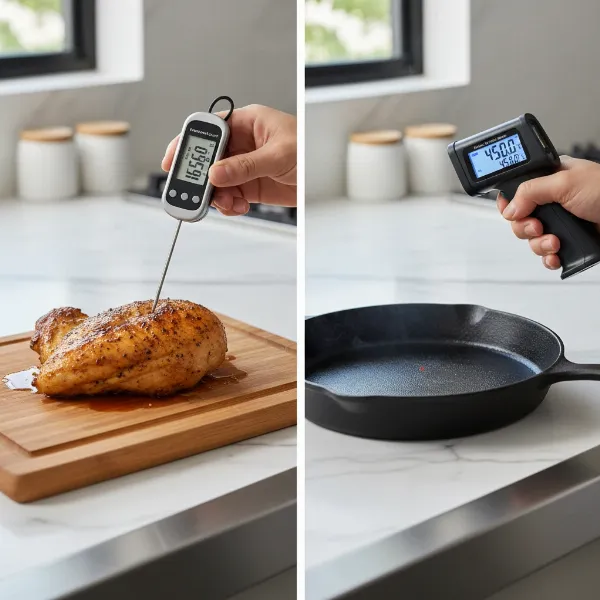
Have you ever been in the middle of preparing a delicious meal, gone to check your meat thermometer, and been greeted by a cryptic “HHH” or “LLL” error message on the screen? It’s a common, and often frustrating, occurrence that can leave you wondering if your trusty cooking companion has given up the ghost. These codes aren’t just random letters; they’re vital indicators telling you something specific about your thermometer’s reading. This guide will demystify what these error codes mean, explore their most common causes, and provide you with actionable, step-by-step troubleshooting tips to get your meat thermometer back on track for perfectly cooked meals.
Understanding “HHH” and “LLL” Error Codes on Your Meat Thermometer
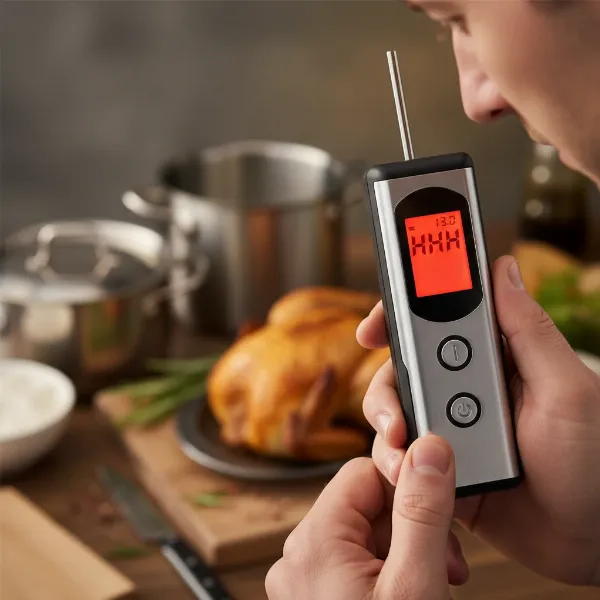
When your meat thermometer displays “HHH” or “LLL,” it’s essentially communicating that the temperature it’s attempting to measure falls outside its operational limits. These codes are designed to protect the device and provide an immediate alert that the reading isn’t valid.
What “HHH” Means
|
Our Picks for the Best Meat thermometer in 2026
As an Amazon Associate I earn from qualifying purchases.
|
||
| Num | Product | Action |
|---|---|---|
| 1 | Meat Thermometer Digital - Instant Read Food Thermometer for Cooking Grilling, Candy, Air Fryer, Griddle Probe Kitchen Gadgets Essentials BBQ Accessories, Valentines Day Gifts for Him Her, Red |

|
| 2 | Meat Thermometer Digital, Instant Read Meat ThermometerI for Grill and Cooking, Waterproof Food Thermometer for Kitchen and Outside, BBQ, Turkey, Candy, Liquids, Beef |
|
| 3 | ThermoPro TP03B Digital Meat Thermometer for Cooking, Instant Read Thermometer with Backlight, Kitchen Food Thermometer for Grill Smoker BBQ Oil Deep Fry Candy Bread Coffee with Pop-up Meat Probe |
|
| 4 | Professional Meat Thermometer - Instant Read Food Thermometer with Waterproof Design, Backlight, Hold/Min/Max Function - Cooking Thermometer for Grilling, BBQ, Kitchen Use |
|
| 5 | TempPro TP829 1000ft Wireless Meat Thermometer Digital for Grilling and Smoking, 4 Meat Probes Grill Thermometer for Outside Grill, BBQ Thermometer for Cooking Food Temperature (Previously ThermoPro) |
|
| 6 | Ultrean Digital Meat Thermometer for Cooking,Ultra-Fast Instant Read Food Thermometer with Backlight,Foldable Probe,Waterproof Kitchen Thermometer for BBQ,Grill,Fry,Oven,Candy Making |
|
| 7 | 0.5 Sec Instant Read Meat Thermometer Digital with ±0.5℉ Precision, Food Thermometer for Cooking Kitchen Gadgets, Oven Grill Candy BBQ Essentials Accessories, Gifts for Him Dad Men Birthday, Red |
|
| 8 | Alpha Grillers Meat Thermometer Digital - Instant Read Food Thermometer for Cooking and Grilling Gifts for Men Valentines Day Gifts for Him Her Mom Dad |
|
| 9 | Meat Thermometer Digital with 1 Second Instant Read, Large LED Display, Food Thermometer |
|
| 10 | ThermoPro TP19H Digital Meat Thermometer for Cooking with Ambidextrous Backlit and Motion Sensing Kitchen Cooking Food Thermometer for BBQ Grill Smoker Oil Fry Candy Instant Read Thermometer |
|
The “HHH” error, often standing for “High High High,” signals that the thermometer’s probe has detected a temperature above its maximum specified range. This doesn’t necessarily mean the thermometer is broken, but rather that the environment it’s in is too hot for it to accurately register a temperature. Think of it like a speedometer that only goes up to 120 mph – if you try to go 150 mph, it will max out and show an error, not an inaccurate high speed.
What “LLL” Means
Conversely, the “LLL” error, or “Low Low Low,” indicates that the probe has encountered a temperature below its minimum specified range. This is common when testing extremely cold or frozen foods, or if the probe is exposed to an environment that is too cold for its sensor to pick up a reading. Just as HHH denotes temperatures too high, LLL points to conditions too low for a valid measurement.
Every meat thermometer, regardless of its type or sophistication, has a defined temperature range within which it can operate accurately. Exposing it to conditions beyond these limits triggers these protective error messages. Knowing your specific thermometer’s temperature range, usually found in the user manual, is crucial for both accurate readings and preventing these errors.
 Digital meat thermometer displaying HHH or LLL error codes in kitchen
Common Causes Behind “HHH” and “LLL” Errors
While the error codes themselves are straightforward, the underlying reasons can vary. Identifying the root cause is the first step toward a solution.
Temperature Exceeds/Falls Below Range
This is the most direct and frequent cause. If you plunge a probe designed for meat into boiling oil that’s far beyond its upper limit, or try to measure the core temperature of a solid block of ice, you’re likely to see HHH or LLL, respectively.
- HHH: Can occur if the probe touches very hot grill grates, an oven element, or is left in an extremely hot environment for too long, exceeding its heat resistance.
- LLL: Often seen when trying to measure deeply frozen items or if the probe is left in a very cold refrigerator or freezer.
Improper Probe Insertion
A surprisingly common culprit for these errors is a loose or incomplete connection between the probe and the thermometer unit. If the probe isn’t fully seated in its port, the electrical circuit required for temperature measurement can be interrupted. The thermometer’s display may then default to an error code because it’s not receiving a proper signal. Many modern thermometers are designed for a snug fit, sometimes even with an audible “click” when correctly inserted.
Damaged or Defective Probe
Unfortunately, probes aren’t invincible. Over time, or due to misuse, they can become damaged.
- Physical Damage: Kinks or sharp bends in the probe wire, exposed wires, or a bent probe tip can disrupt the internal sensors.
- Moisture Ingress: While many probes are water-resistant, prolonged exposure to high moisture or submersion can allow water to seep into the probe’s internal electronics, causing a short circuit.
- Heat Damage: Exposing a probe to temperatures consistently above its rated maximum can damage the sensor or wiring, even if it doesn’t immediately melt. This can lead to intermittent errors or permanent malfunction. A damaged probe often “shorts out,” which manifests as an HHH or LLL error even at room temperature.
Low Battery (Less Common for HHH/LLL, but Possible)
While less common for direct HHH/LLL errors (which are more specific to temperature range issues), a low or weak battery can sometimes cause general erratic behavior or inaccurate readings on any digital device. If the power supply is insufficient, the thermometer might not be able to process sensor data correctly, potentially leading to error codes. It’s always a good general troubleshooting step for any electronic device acting up.
Step-by-Step Troubleshooting for “HHH” and “LLL” Errors
Don’t despair when these codes appear! Many issues can be resolved with a few simple troubleshooting steps.
1. Re-seat the Probe
This is the easiest fix and often the most effective.
- Action: Gently remove the probe from its port on the thermometer unit.
- Re-insert: Firmly push the probe back into the port until it is fully seated. If your model has a tactile or audible “click” when properly connected, ensure you achieve it.
- Observe: Check if the error code clears and a temperature reading (even ambient air temperature) appears.
2. Verify Temperature Environment
Ensure the probe isn’t actually being exposed to extreme temperatures outside its capabilities.
- For “HHH”: If the probe was near an open flame, hot coals, or a very hot oven surface, remove it. Allow the probe to cool down to room temperature. Then, insert it into a known moderate temperature (like a glass of tap water) to see if it reads correctly.
- For “LLL”: If the probe was in frozen food, remove it and allow it to warm up to room temperature. Test it in a glass of ice water (which should read around 32°F or 0°C) or room temperature water. If it reads correctly, the food was simply too cold for its range.
3. Check and Replace Batteries
While not the primary cause for HHH/LLL, a weak battery can sometimes contribute to sensor malfunctions.
- Action: If your thermometer uses removable batteries, replace them with fresh, high-quality ones. Ensure they are inserted correctly according to polarity markings.
- Note: Some rechargeable batteries might not provide consistent voltage, which can affect performance. Using standard alkaline or lithium batteries is generally recommended.
4. Inspect for Visible Damage
A quick visual check can reveal common issues.
- Action: Carefully examine the entire length of the probe wire for any visible kinks, cuts, melted insulation, or sharp bends. Check the probe tip for any physical deformation.
- Connection Point: Inspect the jack where the probe plugs into the main unit for any debris, corrosion, or bent pins. Gently clean the port if necessary.
- Result: Any significant damage usually indicates a faulty probe that will need replacement.
5. Perform a Hard Reset
Some digital thermometers might benefit from a full power cycle to clear internal glitches.
- Action: Remove the batteries from the main thermometer unit. Leave them out for at least one minute (or sometimes longer, as specified by the manufacturer) before re-inserting them.
- Test: Power the unit back on and re-insert the probe to see if the error persists.
“Many home cooks overlook the simple step of re-seating a probe. It’s surprising how often a loose connection is mistaken for a broken thermometer, saving countless devices from early retirement.” – Chef Antoine Dubois, Culinary Instructor and Thermometer Specialist
Preventing “HHH” and “LLL” Errors: Best Practices
Prevention is always better than a cure, especially when it comes to the reliability of your cooking tools. Adopting good habits can significantly extend the life and accuracy of your meat thermometer.
Understand Your Thermometer’s Limits
- Read the Manual: Always consult your thermometer’s user manual for its specific temperature range. Most probes for general cooking can handle temperatures up to 572°F (300°C), but some entry-level models or specialized probes might have different limits. Knowing these numbers helps you avoid inadvertently pushing your device beyond its capabilities.
- Mind the Wire: Pay attention not only to the probe tip but also to the wire connecting it to the main unit. These wires are often heat-resistant but can be damaged by direct flame, prolonged exposure to extreme radiant heat (like a smoker lid), or sharp edges.
Avoid Extreme Temperatures and Direct Heat Sources
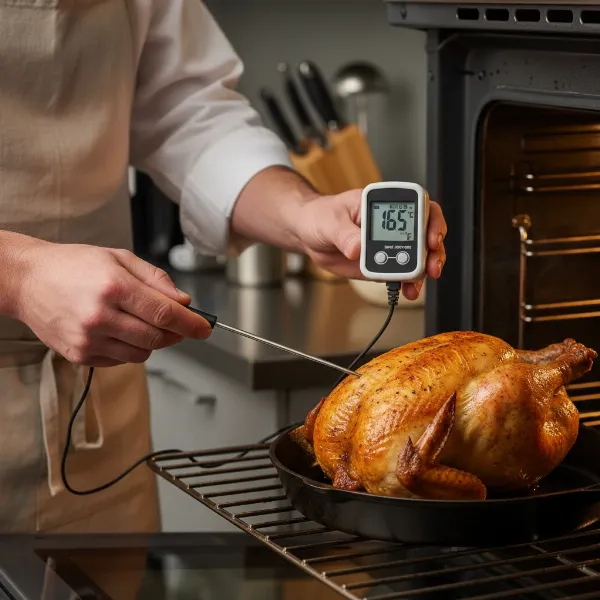
- No Direct Flames: Never allow the probe or its wire to come into direct contact with open flames, hot grill grates, or oven heating elements. Position the probe so only the tip is in the meat, and the wire is safely routed away from excessive heat.
- Not a Stirring Spoon: While durable, probes are not designed to stir hot liquids or scrape against the bottom of pans, which can damage the tip or internal wiring.
Ensure Proper Probe Insertion and Care
- Firm Connection: Always ensure the probe is fully and securely inserted into its port. A loose connection is a leading cause of intermittent readings and error codes.
- Careful Handling: Avoid bending or kinking the probe wire. Store your thermometer and probes in a way that protects them from being crushed or tangled.
- Clean and Dry: After each use, clean the metal probe tip with hot, soapy water and dry it thoroughly. Do not immerse the entire probe or the main unit in water unless the manufacturer explicitly states it is fully waterproof. Moisture is a common enemy of electronics.
Consider a High-Heat Probe for Specific Tasks
If you frequently cook at very high temperatures, such as in offset smokers or pizza ovens, investing in a specialized high-heat probe can be a smart move. These probes are built to withstand more extreme conditions, reducing the likelihood of HHH errors.
 A chef checking meat temperature with a digital thermometer
When It’s Time to Replace Your Meat Thermometer Probe
Despite your best efforts in troubleshooting and prevention, there comes a time when replacement is the only viable option. Knowing when to let go can save you frustration and ensure your food is always cooked safely and perfectly.
Persistent Errors After Troubleshooting
If you’ve systematically worked through all the troubleshooting steps—re-seating the probe, checking the environment, replacing batteries, inspecting for damage, and performing a hard reset—and the “HHH” or “LLL” errors continue, it’s a strong indicator that the probe itself is internally damaged. At this point, the internal sensor or wiring has likely failed in a way that cannot be repaired by the user.
Visible and Irreparable Damage
Any clear signs of physical damage to the probe, such as:
- Melted or exposed wire insulation.
- Severely bent or snapped probe tip.
- Corrosion or water damage inside the probe connector.
These types of damage usually mean the probe’s integrity has been compromised beyond repair. Trying to fix them often isn’t safe or effective, and can lead to inaccurate readings or further damage to the main unit.
Inconsistent Readings Alongside Errors
A failing probe might not always display a constant HHH or LLL. It might show correct temperatures intermittently, then jump to an error, or display wildly inaccurate readings (e.g., jumping from 100°F to 300°F instantly) before settling on an error code. This erratic behavior is a classic symptom of a probe on its last legs. A reliable meat thermometer provides stable and consistent readings; anything less is a sign of an impending failure.
Age and Wear
Like any kitchen tool, meat thermometer probes have a lifespan. Constant exposure to heat, cold, moisture, and general wear and tear will eventually take their toll. While there’s no fixed expiry date, if your probe has been a faithful companion for several years of rigorous use, and you start seeing errors, it might simply be time for a fresh one. Investing in a new probe, or a new thermometer, can restore your confidence in your cooking accuracy.
Conclusion
Encountering “HHH” or “LLL” error codes on your meat thermometer can be a perplexing moment, but it’s rarely the end of the line for your device. These codes are specific signals indicating that the temperature reading is either too high or too low for your probe’s range, or that there’s an issue with the probe’s connection or integrity. By understanding these meanings and systematically applying the troubleshooting steps—from simply re-seating the probe to inspecting for damage and considering battery replacement—you can often resolve the problem quickly. However, remember that sometimes these errors are a definitive sign that your probe has run its course and needs to be replaced. Prioritizing proper care and maintenance will not only prevent these frustrating errors but also ensure your meat thermometer remains a reliable partner in your culinary adventures, helping you achieve perfect doneness every time.
What’s your go-to method for ensuring your meat is cooked to perfection without a hitch?
Frequently Asked Questions
Can a low battery cause HHH/LLL errors on a meat thermometer?
While less common for direct HHH/LLL errors, a low battery can sometimes cause general erratic behavior or inaccurate readings on digital thermometers. It’s always a good idea to check and replace old batteries as a general troubleshooting step if your device isn’t performing as expected.
How do I know the temperature range of my meat thermometer?
The specific temperature range for your meat thermometer will be listed in its user manual or on the manufacturer’s product page. This range typically specifies both the minimum (LLL) and maximum (HHH) temperatures the probe can accurately measure.
Should I try to repair a damaged meat thermometer probe?
Attempting to repair a damaged meat thermometer probe, especially one with exposed wires or a bent tip, is generally not recommended. It can be unsafe, lead to inaccurate readings, and potentially cause further damage to the main thermometer unit. It’s best to replace a damaged probe.
How often should I replace my meat thermometer probe?
The lifespan of a meat thermometer probe varies greatly depending on usage, care, and exposure to extreme conditions. There’s no set schedule, but if you frequently encounter HHH/LLL errors, experience inconsistent readings after troubleshooting, or notice visible damage, it’s likely time for a replacement.
Can I use a meat thermometer if it’s displaying HHH/LLL errors?
No, you should not rely on a meat thermometer displaying HHH or LLL errors for accurate temperature readings. These codes indicate a malfunction or an out-of-range condition, meaning the temperature displayed is unreliable or non-existent. Always troubleshoot the error or replace the probe to ensure food safety and desired cooking results.