Imagine a home that intuitively understands your comfort needs, adjusting temperatures before you even walk through the door. This isn’t science fiction; it’s the reality offered by smart thermometers compatible with Google Home. These clever devices integrate seamlessly into your smart home ecosystem, allowing you to monitor and manage your indoor climate with unparalleled convenience and efficiency. Whether you’re looking to save on energy bills, ensure optimal comfort in every room, or simply simplify your daily routines, choosing the right smart thermometer that works with Google Home is a pivotal step. This comprehensive guide will explore the benefits, features, and top models to help you make an informed decision for a smarter, more comfortable living space.
Smart Thermometers: An Overview and Their Benefits for Google Home Users
Smart thermometers, in the context of a smart home, refer to devices designed to measure ambient room temperature and often humidity, providing data that can be used for climate control. Unlike traditional thermometers, these smart versions connect to your home network, allowing for remote monitoring and control, especially when integrated with platforms like Google Home.
The primary advantage of using a smart thermometer with Google Home is the enhanced control and automation it brings to your environment. You can adjust settings from anywhere using your smartphone or simply by voice command, ensuring your home is always at the perfect temperature without constant manual adjustments. This integration also leads to significant energy savings, as many devices learn your schedule and preferences, automatically optimizing heating and cooling when you’re away or asleep. Beyond convenience, smart thermometers can offer peace of mind by alerting you to extreme temperature fluctuations that could indicate issues like a failing HVAC system or frozen pipes.
Several types of smart thermometers exist, each serving distinct purposes. Smart thermostats, such as the Google Nest models, are designed to replace your existing thermostat, directly controlling your heating and cooling system. Standalone temperature and humidity sensors, like those from Govee or SwitchBot, provide localized readings for specific rooms or areas, allowing for more granular monitoring. Some even offer additional environmental data like air quality, adding another layer of insight into your home’s health.
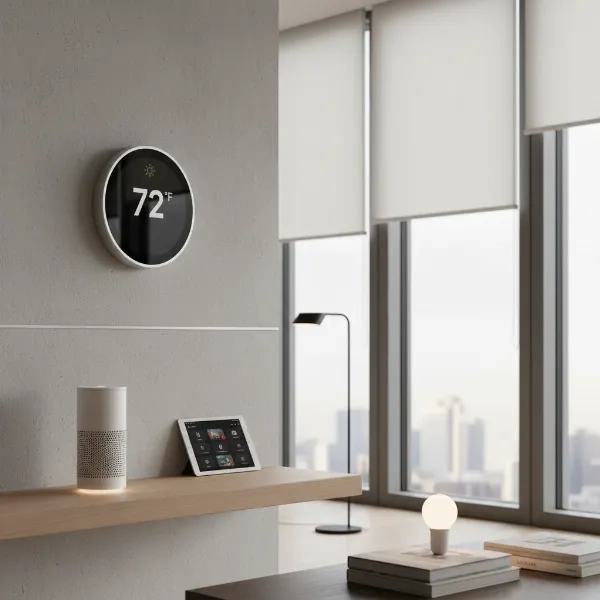 A sleek, modern smart thermostat integrated into a contemporary home, controllable via Google Home.
How to Choose the Right Smart Thermometer Compatible with Google Home
Selecting the ideal smart thermometer for your home requires careful consideration of your specific needs and existing smart home setup. Not all devices are created equal, and understanding the key factors will help you pick a product that seamlessly integrates with your Google Home ecosystem.
First, consider the type of monitoring you need. Are you looking to replace your main thermostat for whole-house HVAC control? A smart thermostat is your best bet. Do you want to monitor the temperature in a baby’s room, a wine cellar, or a greenhouse independently? Standalone temperature sensors are more appropriate. Some sensors also monitor humidity, which is crucial for preventing mold and maintaining indoor air quality.
Compatibility with Google Home is paramount. Look for devices explicitly labeled “Works with Google Home” or “Google Assistant compatible.” Emerging standards like Matter certification also ensure broad compatibility across different smart home platforms, including Google Home, future-proofing your investment.
Next, evaluate the features that matter most to you. Accuracy and speed of readings are fundamental. Remote access via a smartphone app is a given for smart devices, but also consider voice control capabilities through Google Assistant. Scheduling features, geofencing (adjusting temperature based on your proximity to home), and multi-zone control (if using multiple sensors) can greatly enhance convenience and energy efficiency. Advanced features like air quality monitoring (found in some Netatmo models) can provide additional value.
Finally, set a budget. Prices for smart thermometers and thermostats vary widely based on features and brand. While more expensive models often offer a richer feature set and deeper integrations, many affordable options provide excellent core functionality for temperature monitoring.
Top Smart Thermometers Compatible with Google Home: A Detailed Comparison
Choosing from the myriad of options can be daunting. Here’s a comparison of some leading smart thermometers and thermostats that seamlessly integrate with Google Home, offering diverse features for various needs.
| Product Name | Key Features | Google Home Compatibility | Pros | Cons | Price Range |
|---|---|---|---|---|---|
| Google Nest Learning Thermostat (4th Gen) | Auto-Schedule, Adaptive Eco, Farsight display, Nest Temperature Sensor support, Matter certified. | Full | Learns habits, saves energy, intuitive control via Google Home app, sleek design, Matter future-proofing. | Higher upfront cost, full HVAC replacement. | Premium |
| Govee WiFi Thermometer Hygrometer (e.g., H5179) | Temperature & humidity monitoring, app alerts, data logging, calibration support. | Partial | Affordable, accurate, good for specific room monitoring, long battery life, remote access. | Primarily monitoring, not direct HVAC control, Google Home integration for basic queries only. | Budget-Mid-range |
| Netatmo Smart Indoor Thermometer | Temperature, humidity, air quality monitoring, sound level, integrates with Netatmo Weather Station. | Full | Comprehensive environmental data, elegant design, robust app features, excellent air quality insights. | More expensive, may require additional Netatmo products for full weather station capabilities. | Premium |
| TP-Link Kasa Smart Wi-Fi Plug w/ Thermometer | Combines smart plug functionality with temperature sensing, allows control of connected appliances based on temp. | Full | Dual functionality, affordable, easy setup, ideal for controlling fans/heaters via temperature thresholds. | Basic temperature reading, not a dedicated climate control device, external sensor might be needed for accuracy. | Budget |
| SwitchBot Hub 2 Thermometer Hygrometer Sensor | Temperature & humidity, IR remote control, Matter support, supports SwitchBot ecosystem. | Full | Matter certified, good for ambient readings, integrates with SwitchBot devices, local control via screen. | Display is small, relies on Hub 2 for Google Home integration, may require additional SwitchBot devices. | Mid-range |
In-Depth Reviews of Leading Google Home Compatible Smart Thermometers
Let’s take a closer look at some of the top smart thermometers and sensors that seamlessly integrate with Google Home, offering various solutions for your climate control needs.
Google Nest Learning Thermostat (4th Gen) and Nest Temperature Sensor
|
Our Picks for the Best Meat thermometer in 2026
As an Amazon Associate I earn from qualifying purchases.
|
||
| Num | Product | Action |
|---|---|---|
| 1 | 0.5 Sec Instant Read Meat Thermometer Digital with ±0.5℉ Precision, Food Thermometer for Cooking Kitchen Gadgets, Oven Grill Candy BBQ Essentials Accessories, Gifts for Him Dad Men Birthday, Red |

|
| 2 | Ultrean Digital Meat Thermometer for Cooking,Ultra-Fast Instant Read Food Thermometer with Backlight,Foldable Probe,Waterproof Kitchen Thermometer for BBQ,Grill,Fry,Oven,Candy Making |
|
| 3 | Professional Meat Thermometer - Instant Read Food Thermometer with Waterproof Design, Backlight, Hold/Min/Max Function - Cooking Thermometer for Grilling, BBQ, Kitchen Use |
|
| 4 | TempPro TP829 1000ft Wireless Meat Thermometer Digital for Grilling and Smoking, 4 Meat Probes Grill Thermometer for Outside Grill, BBQ Thermometer for Cooking Food Temperature (Previously ThermoPro) |
|
| 5 | Alpha Grillers Meat Thermometer Digital - Instant Read Food Thermometer for Cooking and Grilling Gifts for Men Valentines Day Gifts for Him Her Mom Dad |
|
| 6 | Meat Thermometer Digital, Instant Read Meat ThermometerI for Grill and Cooking, Waterproof Food Thermometer for Kitchen and Outside, BBQ, Turkey, Candy, Liquids, Beef |
|
| 7 | Meat Thermometer Digital - Instant Read Food Thermometer for Cooking Grilling, Candy, Air Fryer, Griddle Probe Kitchen Gadgets Essentials BBQ Accessories, Valentines Day Gifts for Him Her, Red |
|
| 8 | Meat Thermometer Digital with 1 Second Instant Read, Large LED Display, Food Thermometer |
|
| 9 | ThermoPro TP19H Digital Meat Thermometer for Cooking with Ambidextrous Backlit and Motion Sensing Kitchen Cooking Food Thermometer for BBQ Grill Smoker Oil Fry Candy Instant Read Thermometer |
|
| 10 | ThermoPro TP03B Digital Meat Thermometer for Cooking, Instant Read Thermometer with Backlight, Kitchen Food Thermometer for Grill Smoker BBQ Oil Deep Fry Candy Bread Coffee with Pop-up Meat Probe |
|
The Google Nest Learning Thermostat (4th Gen) is the gold standard for smart home climate control. Its hallmark feature is Auto-Schedule, which learns your daily temperature preferences and automatically programs itself, optimizing for comfort and energy savings. The Adaptive Eco feature further enhances savings by intelligently adjusting temperatures when you’re away. The device boasts a sleek design with a larger, high-resolution Farsight display that shows time, temperature, or weather from across the room. It’s fully controllable via the Google Home app and Google Assistant voice commands, allowing you to tweak settings from anywhere. The new Nest Learning Thermostat is also Matter-certified, ensuring broad compatibility with other smart home platforms.
For more granular control, the Nest Temperature Sensor works in conjunction with compatible Nest thermostats. Place these small, unobtrusive sensors in different rooms to prioritize the temperature in specific areas at various times of the day. For instance, you can ensure your bedroom is perfectly warm at night while other areas are cooler, creating personalized comfort zones throughout your home.
Govee WiFi Thermometer Hygrometer H5179
The Govee WiFi Thermometer Hygrometer H5179 is an excellent choice if your primary need is accurate, localized temperature and humidity monitoring without directly controlling an HVAC system. This device is incredibly affordable and delivers reliable readings, making it perfect for specific rooms, basements, attics, or even outdoor sheltered areas. It connects to your home Wi-Fi, allowing you to view real-time data and historical trends through the Govee Home app on your smartphone.
While it doesn’t directly interface with your HVAC, you can integrate it with Google Home to query its current readings. For example, you can ask Google Assistant, “What’s the temperature in the living room?” The Govee app also provides customizable alerts for temperature and humidity thresholds, giving you peace of mind whether you’re home or away. It’s particularly useful for maintaining optimal conditions for sensitive items or checking on pet enclosures.
Netatmo Smart Indoor Thermometer
The Netatmo Smart Indoor Thermometer stands out for its comprehensive environmental sensing capabilities. Beyond just temperature and humidity, it can also monitor air quality (CO2 levels) and even sound levels, providing a holistic view of your indoor environment. This device is designed with a minimalist aesthetic and integrates smoothly with Google Home, allowing for voice control and remote access to all its readings via the Netatmo app.
Its ability to track air quality is a significant advantage, as indoor air can often be more polluted than outdoor air. The Netatmo app can alert you when CO2 levels are too high, prompting you to ventilate and improve your living conditions. For users who prioritize detailed environmental insights and a beautifully designed, premium device, the Netatmo Smart Indoor Thermometer is a compelling choice.
SwitchBot Hub 2 Thermometer Hygrometer Sensor
The SwitchBot Hub 2 is a versatile smart home device that combines a thermometer, hygrometer, and an IR remote control, all with Matter support. This makes it an excellent central piece for integrating various smart devices, especially older IR-controlled appliances, into your Google Home ecosystem. The built-in temperature and humidity sensor provides accurate ambient readings, displayed on its compact screen, and accessible via the SwitchBot app and Google Home.
The inclusion of Matter certification means it offers robust compatibility and easier setup with Google Home compared to some proprietary systems. You can use its sensor data to trigger automations within your Google Home routines, such as turning on a fan connected to a smart plug if the room gets too warm. Its IR remote functionality allows you to control non-smart TVs, air conditioners, and other devices using Google Assistant voice commands, effectively “smartening up” your older electronics based on environmental conditions.
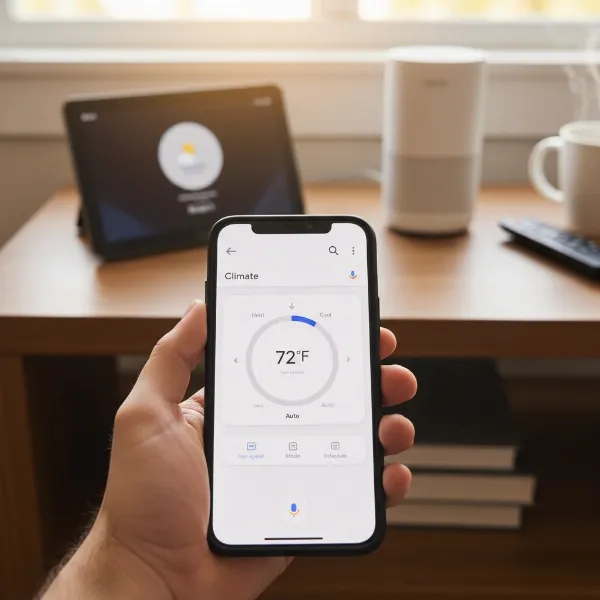 A person using a smartphone to control a smart thermometer via the Google Home app, demonstrating remote management.
Using and Maintaining Your Google Home Smart Thermometer for Optimal Performance
To get the most out of your Google Home compatible smart thermometer, proper usage and maintenance are key. Following these guidelines will ensure accuracy, longevity, and a truly optimized smart home climate.
Placement is crucial for accurate readings. For ambient room sensors, place them away from direct sunlight, drafts, heat sources (like lamps or appliances), and vents. A central location in the room, at an average height, is generally best. If you have a smart thermostat, ensure it’s not near windows or exterior doors that could skew readings.
Regularly check for calibration if your device supports it. While many smart thermometers come pre-calibrated, environmental factors or age can sometimes affect accuracy. Refer to your device’s manual for specific calibration instructions, often done through the companion app.
Battery life and replacement are important for standalone sensors. Most models offer long battery life, but keep an eye on battery indicators in the Google Home or device-specific app. Replacing batteries promptly ensures uninterrupted monitoring. For wired smart thermostats, ensure your HVAC system provides sufficient power; some may require a common wire (C-wire) for stable operation, though many Nest models can operate without one in most homes.
Keep device software up-to-date. Manufacturers frequently release firmware updates to improve performance, add features, and enhance security. Enable automatic updates if available, or manually check for them through the Google Home or manufacturer’s app. Familiarize yourself with the Google Home app’s climate control sections, as this is your central hub for managing all compatible devices.
Troubleshooting common issues can often be resolved with simple steps. If a device isn’t responding, check its power source or battery. Verify your Wi-Fi connection and ensure the device is within range of your router. Sometimes, a simple restart of the device or your Google Home hub can re-establish connection. If issues persist, consult the manufacturer’s support resources.
Maximizing Comfort and Savings with Google Home Smart Thermometers
Integrating smart thermometers into your Google Home goes beyond basic temperature control; it unlocks a world of advanced features for unparalleled comfort and significant energy savings. By leveraging the full capabilities of your devices, you can create a truly intelligent and efficient home environment.
Harnessing advanced scheduling is a cornerstone of energy efficiency. While many smart thermostats learn your routine, you can fine-tune schedules in the Google Home app to perfectly match your family’s habits. Consider implementing geofencing, which uses your phone’s location to detect when you leave or return home, automatically adjusting the temperature to save energy when you’re out and ensuring comfort upon your arrival. For homes with multiple sensors, multi-zone control allows you to set different temperatures for different areas, preventing wasted energy in unoccupied rooms.
Integrating your smart thermometer with other smart home devices can create powerful automations. For instance, if a standalone temperature sensor detects the living room reaching a certain temperature, Google Home can automatically turn on a smart fan or close smart blinds to help cool the space without engaging the AC. You can even link it to smart lighting; if the sensor registers a room as too cold, warm-toned lights could come on to create a cozy ambiance.
Voice commands through Google Assistant are incredibly convenient. Instead of manually adjusting settings, simply say, “Hey Google, set the bedroom temperature to 70 degrees” or “Hey Google, turn up the heat.” Creating Google Home routines takes this further. Imagine saying “Goodnight” and your lights dim, doors lock, and the thermostat adjusts to your preferred sleeping temperature – all with one command.
Many smart thermostats, especially Google Nest models, offer energy monitoring reports, providing insights into your energy consumption. By reviewing these reports, you can identify patterns and make more informed decisions to reduce your carbon footprint and monthly utility bills. Thoughtful utilization of these features transforms your smart thermometer from a simple gadget into a powerful tool for comfort, convenience, and conservation.
Conclusion
Embracing smart thermometers compatible with Google Home is a transformative step towards a more intelligent and responsive living environment. From optimizing energy consumption through learning algorithms and remote management to ensuring precise comfort in every corner of your home, these devices offer a blend of convenience, efficiency, and peace of mind. Whether you opt for the comprehensive control of a Google Nest Learning Thermostat or the focused monitoring of a Govee sensor, the right smart thermometer empowers you to manage your climate with unprecedented ease. By thoughtfully integrating these technologies, you not only elevate your daily comfort but also contribute to a more sustainable and cost-effective home. What smart climate goals will you achieve with Google Home?
Frequently Asked Questions
How do smart thermometers connect to Google Home?
Smart thermometers typically connect to Google Home either directly via Wi-Fi or Bluetooth, or through a compatible smart home hub. Once connected, they appear in the Google Home app, allowing you to monitor readings and sometimes control settings using the app or Google Assistant voice commands. Matter-certified devices offer a streamlined connection process.
Can smart thermometers help me save energy?
Yes, smart thermostats, in particular, are designed to save energy. Features like automatic scheduling, learning algorithms, geofencing, and energy usage reports help optimize heating and cooling, preventing wasted energy when you’re away or asleep. Standalone sensors can also indirectly help by identifying areas that are consistently too hot or cold, prompting adjustments to your main HVAC or other smart devices.
Do I need to replace my existing thermostat to use a smart thermometer?
Not necessarily. If you want full control over your home’s heating and cooling system, then a smart thermostat (which replaces your existing one) is required. However, if you only need to monitor ambient temperature and humidity in specific rooms, standalone smart thermometers or sensors can be added without replacing your main thermostat.
What is Matter compatibility and why is it important for smart thermometers?
Matter is a new smart home connectivity standard designed to ensure devices from different brands work seamlessly together. For smart thermometers, Matter compatibility means easier setup, greater reliability, and broader integration with any Matter-certified smart home platform, including Google Home, enhancing device interoperability and future-proofing your smart home.
Can I control multiple smart thermometers with Google Home?
Yes, you can manage multiple compatible smart thermometers or sensors through the Google Home app. This allows you to monitor different rooms or zones individually and even create routines or automations based on readings from various sensors. For smart thermostats, you can often add multiple temperature sensors to prioritize comfort in different areas.