The journey to a perfectly smoked brisket is a culinary adventure, often marked by patience, precision, and an understanding of the meat’s unique characteristics. One of the most perplexing phases for any pitmaster, amateur or seasoned, is the infamous “brisket stall.” Just when you think your cook is cruising, the internal temperature of your brisket seems to hit a wall, refusing to climb higher for hours on end. This frustrating plateau can test your resolve and, if not managed correctly, compromise the succulent tenderness you’ve worked so hard to achieve. Fortunately, modern technology, specifically a smart meat thermometer paired with a graphing app, offers an invaluable tool to not only understand but also conquer the brisket stall, transforming guesswork into informed decisions and leading you to consistently delicious results.
The Brisket Stall: An Overview and Its Impact
The brisket stall is a widely recognized phenomenon in low-and-slow barbecue, characterized by a period where the internal temperature of a brisket temporarily stops rising, or even slightly drops, typically occurring between 150°F and 165°F. This perplexing pause can stretch for several hours, sometimes up to six or seven, significantly extending the overall cook time.
The primary scientific explanation behind the stall is evaporative cooling. As the brisket cooks, moisture within the meat rises to the surface and evaporates. This process is akin to how our bodies sweat to cool down; the evaporating moisture draws heat away from the brisket, counteracting the heat being absorbed from the smoker. Until enough moisture has evaporated that the cooling effect is overcome by the smoker’s heat, the internal temperature will remain stagnant. While some earlier theories touched on fat rendering or collagen breakdown, evaporative cooling is now widely accepted as the dominant factor. The stall’s impact extends beyond just adding hours to your cook; an unmanaged stall can potentially lead to a drier final product if the meat is exposed to the smoker’s heat for too long without adequate internal temperature progression.
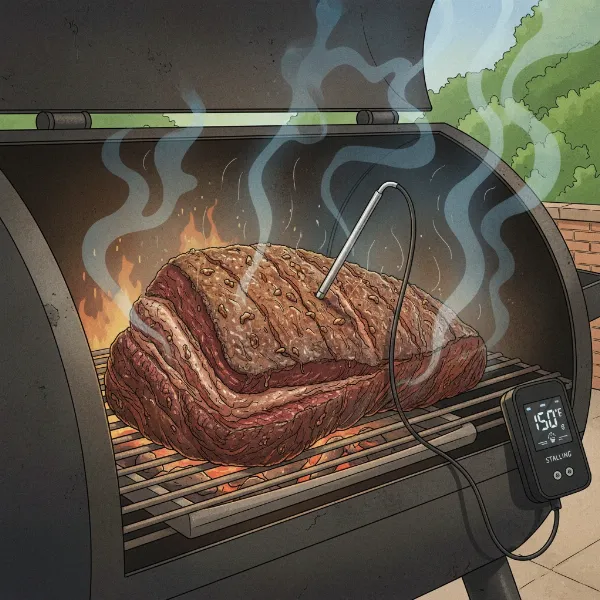 Illustration of brisket in smoker with temperature probe, showing evaporative cooling causing the stall.
Why a Graphing App is Your Brisket’s Best Friend
In the face of the mysterious brisket stall, a graphing app connected to a smart meat thermometer becomes an indispensable ally. These apps provide a real-time visual representation of your brisket’s internal temperature, transforming abstract numbers into an easily interpretable temperature curve. Instead of wondering if your thermometer is faulty or if your cook is doomed, you can clearly see when the temperature rise flattens out, indicating the onset of the stall.
The ability to visualize temperature trends over time is a game-changer. You can observe the initial steady climb, the gradual slowdown as the stall approaches, the extended plateau, and eventually, the triumphant rise in temperature as the brisket pushes through. This data logging capability allows for invaluable trend analysis, enabling you to learn from each cook and predict future stalls more accurately. Many apps also offer the convenience of setting customizable alarms and alerts for both high and low temperatures. This means you can be notified when your brisket enters the typical stall range or when it finally breaks free, allowing you to confidently step away from the smoker without constantly checking. Furthermore, sophisticated graphing apps often allow you to monitor both the internal meat temperature and the ambient smoker temperature simultaneously, providing a holistic view of your cooking environment and helping you diagnose any issues quickly.
Choosing the Right Smart Thermometer and Graphing App
The market is rich with smart meat thermometers, each offering unique features and companion graphing apps. Selecting the right one depends on your specific needs, cooking style, and budget.
Consider the connectivity options:
- Bluetooth-enabled thermometers (like the ThermoWorks BlueDOT or Meater Plus) are excellent for monitoring within a closer range, typically suitable for backyard cooks where you remain relatively close to the smoker.
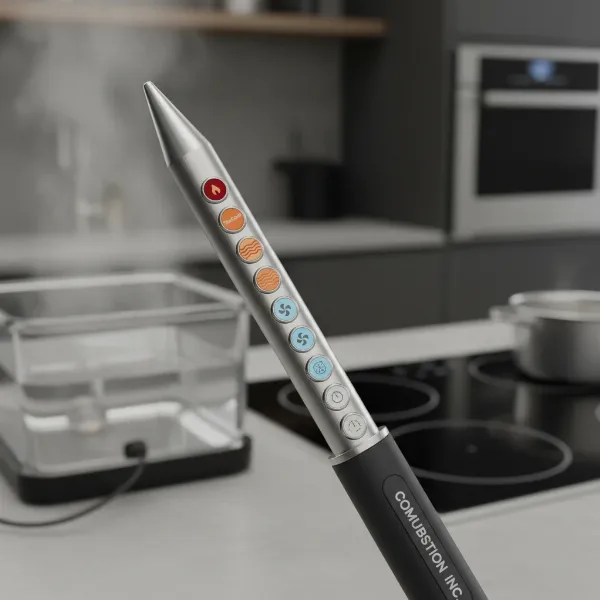
- Wi-Fi enabled thermometers (such as ThermoWorks Signals with a Gateway, FireBoard, or Combustion Inc. devices) offer unlimited range, allowing you to monitor your brisket from anywhere with an internet connection, even if you run errands or tend to other tasks around the house. This also often comes with cloud storage for your cook data, enabling detailed post-cook analysis.
Number of probes is another crucial factor. Many smart thermometers come with multiple probes (2-8), allowing you to monitor different parts of a large brisket (flat vs. point), or even other cuts of meat simultaneously. This multi-probe capability is especially beneficial for understanding temperature variations within your smoker or meat.
Beyond connectivity and probes, look for app features that enhance your monitoring experience:
- Customizable settings for channel names, alarm temperatures, and temperature units.
- Session history and the ability to save cooks for future reference.
- Intuitive interface and clear, easy-to-read graphs.
- Advanced features like predictive cook times or food safety tracking (e.g., Combustion Inc.’s SafeCook which tracks time at temperature for bacterial destruction).
“The right graphing app doesn’t just show you data; it helps you interpret the story of your cook, making you a more intuitive and successful pitmaster.” – Admin, meatthermometerreviews.com
Mastering Your Graphing App to Conquer the Stall
Once you have your smart thermometer and graphing app, the key is to use them effectively to navigate the brisket stall.
- Initial Setup and Probe Placement: Begin by properly connecting your probes to your device and synchronizing with the app. Ensure the probes are inserted correctly into the thickest part of the brisket, avoiding bone, to get the most accurate internal temperature readings. Many experienced pitmasters use two probes: one in the flat and one in the point, as these sections can cook at slightly different rates.
- Interpreting the Temperature Graph: As your cook progresses, closely watch the temperature graph. You’ll typically see a steady upward curve for the first few hours. The stall will manifest as the curve flattening out, or even dipping slightly. This visual cue is your signal. Without a graph, this phase can feel like endless waiting; with it, you gain clear insight into the process.
- When to Implement the “Texas Crutch”: The most common method to power through the stall is the “Texas Crutch”—wrapping the brisket in butcher paper or heavy-duty foil. The graphing app helps you decide when to wrap. When the temperature has stalled for an extended period (typically 2-4 hours, or when you observe the plateau clearly on the graph) and you’re ready to accelerate the cook, carefully remove the brisket, wrap it tightly, and return it to the smoker. The graph will then show the temperature resuming its climb, often at a faster rate.
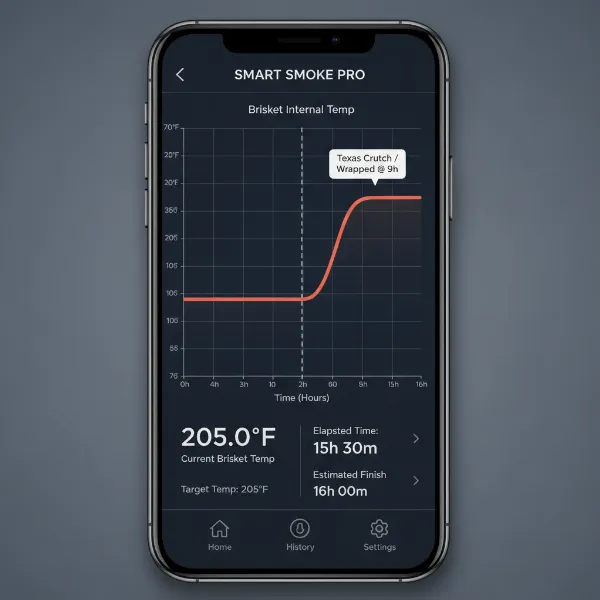 Smart meat thermometer app graph showing brisket temperature stall and subsequent rise after wrapping.
 - Maintaining Consistent Data Flow: For reliable graphs, keep your app updated and ensure your thermometer device remains within range (for Bluetooth) or connected to Wi-Fi. Avoid frequently opening your smoker lid, as this causes ambient temperature fluctuations that can create inconsistencies in your data. Proper probe care and insertion also prevent inaccurate readings.
Beyond the Stall: Enhancing Your Brisket Game
Monitoring the brisket stall is just one facet of how a graphing app can elevate your BBQ game. By meticulously logging data from each cook, you build a valuable repository of information that helps you refine your techniques. You can compare graphs from different cooks, noting how variations in smoker temperature, rub application, or wrapping methods impact the stall duration and overall cooking time. This allows for continuous improvement and greater consistency in future cooks.
Use the insights from your graphs to experiment with different techniques—perhaps trying a higher initial smoke temperature, adjusting your wrap material, or even experimenting with a “no-wrap” approach once you fully understand your cooker’s dynamics. The objective data from the app helps you objectively evaluate the outcomes. Ultimately, a graphing app empowers you to achieve that perfect doneness and tenderness every time, making you a more confident and skilled pitmaster. Remember, even after the cook, allow your brisket to rest properly, which is just as crucial for a juicy result as the smoking process itself.
Conclusion
The brisket stall, once a daunting mystery for many, is now a phenomenon that can be effectively understood and managed with the aid of smart meat thermometers and their sophisticated graphing apps. By providing real-time visual data, these tools empower pitmasters to observe the stall, make informed decisions like when to “Texas Crutch,” and ultimately achieve superior results. Embracing this technology not only helps you navigate challenging cooking phases but also provides a deeper understanding of the entire smoking process, transforming every cook into a learning experience. So, are you ready to chart your way to brisket perfection?
Frequently Asked Questions
What temperature range does the brisket stall typically occur in?
|
Our Picks for the Best Meat thermometer in 2026
As an Amazon Associate I earn from qualifying purchases.
|
||
| Num | Product | Action |
|---|---|---|
| 1 | ThermoPro TP03B Digital Meat Thermometer for Cooking, Instant Read Thermometer with Backlight, Kitchen Food Thermometer for Grill Smoker BBQ Oil Deep Fry Candy Bread Coffee with Pop-up Meat Probe |

|
| 2 | Meat Thermometer Digital, Instant Read Meat ThermometerI for Grill and Cooking, Waterproof Food Thermometer for Kitchen and Outside, BBQ, Turkey, Candy, Liquids, Beef |
|
| 3 | Ultrean Digital Meat Thermometer for Cooking,Ultra-Fast Instant Read Food Thermometer with Backlight,Foldable Probe,Waterproof Kitchen Thermometer for BBQ,Grill,Fry,Oven,Candy Making |
|
| 4 | Alpha Grillers Meat Thermometer Digital - Instant Read Food Thermometer for Cooking and Grilling Gifts for Men Valentines Day Gifts for Him Her Mom Dad |
|
| 5 | Meat Thermometer Digital - Instant Read Food Thermometer for Cooking Grilling, Candy, Air Fryer, Griddle Probe Kitchen Gadgets Essentials BBQ Accessories, Valentines Day Gifts for Him Her, Red |
|
| 6 | ThermoPro TP19H Digital Meat Thermometer for Cooking with Ambidextrous Backlit and Motion Sensing Kitchen Cooking Food Thermometer for BBQ Grill Smoker Oil Fry Candy Instant Read Thermometer |
|
| 7 | Professional Meat Thermometer - Instant Read Food Thermometer with Waterproof Design, Backlight, Hold/Min/Max Function - Cooking Thermometer for Grilling, BBQ, Kitchen Use |
|
| 8 | 0.5 Sec Instant Read Meat Thermometer Digital with ±0.5℉ Precision, Food Thermometer for Cooking Kitchen Gadgets, Oven Grill Candy BBQ Essentials Accessories, Gifts for Him Dad Men Birthday, Red |
|
| 9 | Meat Thermometer Digital with 1 Second Instant Read, Large LED Display, Food Thermometer |
|
| 10 | TempPro TP829 1000ft Wireless Meat Thermometer Digital for Grilling and Smoking, 4 Meat Probes Grill Thermometer for Outside Grill, BBQ Thermometer for Cooking Food Temperature (Previously ThermoPro) |
|
The brisket stall commonly occurs when the internal temperature of the meat reaches approximately 150°F to 165°F. This is the range where evaporative cooling becomes significant enough to temporarily halt the temperature rise.
How long can the brisket stall last?
The duration of the brisket stall can vary significantly, often lasting anywhere from 2 to 7 hours, depending on factors such as the size of the brisket, the smoker’s temperature, and environmental conditions.
Is the brisket stall a sign that something is wrong with my cook?
No, the brisket stall is a natural and expected part of cooking large cuts of meat like brisket at low temperatures. It is primarily caused by evaporative cooling and is not an indication of a problem, but rather a phase to be managed.
Can a graphing app help prevent the brisket stall?
While a graphing app cannot prevent the stall from happening, it is an invaluable tool for monitoring its onset and duration. This allows pitmasters to make timely decisions, such as wrapping the brisket, to help push through the stall more efficiently.
What is the “Texas Crutch” and how does it relate to a graphing app?
The “Texas Crutch” is a technique where the brisket is wrapped in butcher paper or foil during the stall to trap moisture and accelerate cooking. A graphing app helps you identify precisely when the stall begins and has persisted, guiding you on the optimal time to implement the crutch.